
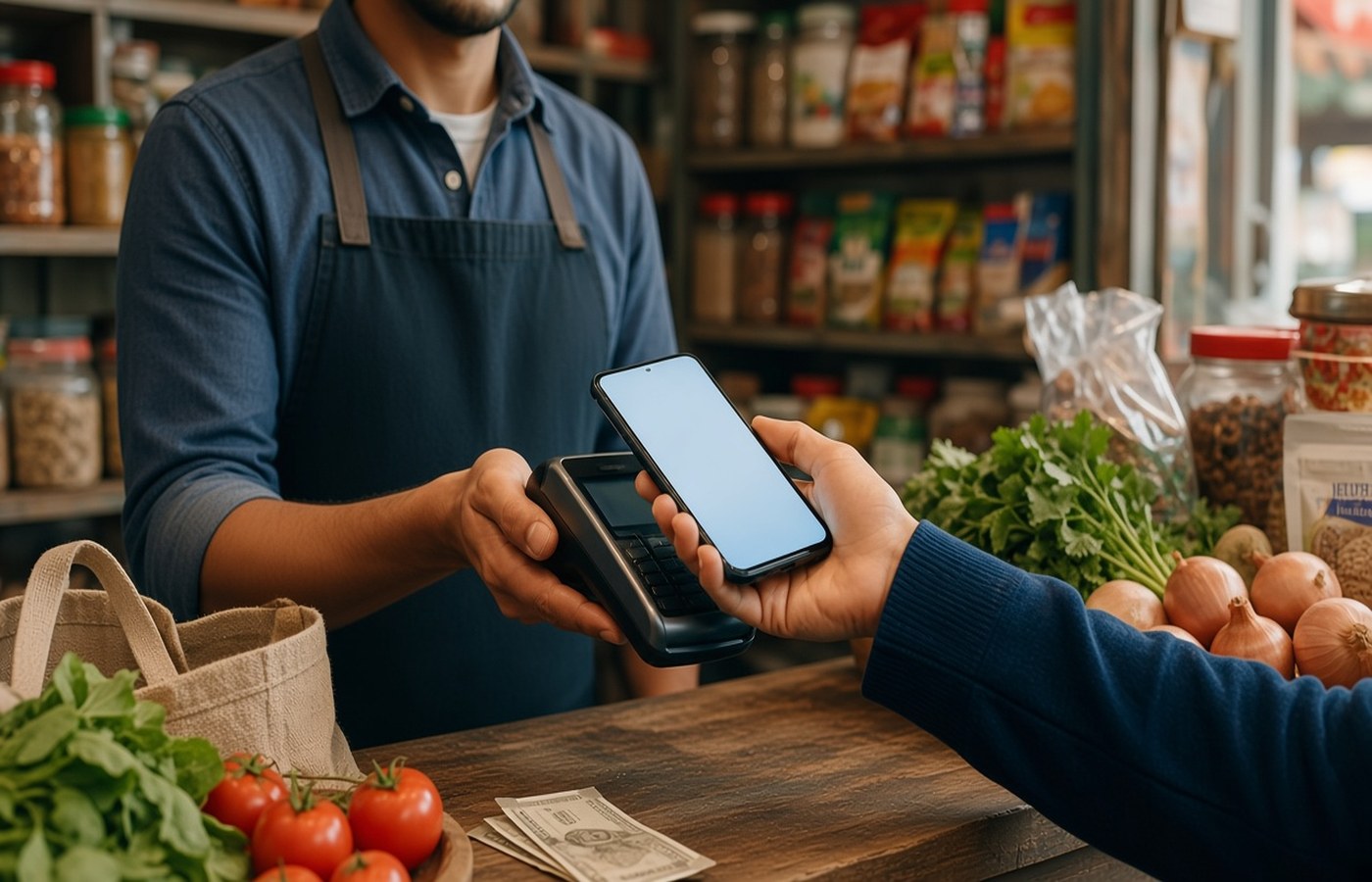
A kirana bill is often two payments pretending to be one. You tap UPI for the branded packet and hand over notes for eggs, loose dal, or the balance the QR would not take. The bank SMS records only the tap. By month end the Sheet looks like you spent less on food than you did, and the missing cash is a mystery. Kharch Log can file the UPI half from the SMS on your Android phone, with no bank login. The cash half is a row you add the same evening. One ledger, one grocery total, in a Google Sheet you own.
Treat one shop visit as one visit
When you get home, write the cash amount next to the UPI row, or as its own row with the same date and the shop name. Use the category Groceries for both. If the cash paid for a broom or a bulb, put that part in household, not food. The UPI SMS may show a person's name, because many shops use a personal QR. That name is your payee. Add the shop name in the note or you will not recognise it in a filter. Do this for the main kirana, not for every ₹20 biscuit, unless those biscuits are the leak you are chasing.
Keep a tiny note on the phone for the cash figure if you cannot open the Sheet in the shop. A scribble that says 340 cash, Lakshmi stores, milk and eggs is enough. Enter it before you sleep. Next morning is when people round ₹340 down to nothing. If you round, you will understate groceries by a few thousand rupees a month and then blame the salary. Kharch Log does not see cash. You type it. The UPI half should already be in the Sheet from the SMS, so you are only adding the gap, not the whole bill.
- Same date and shop name on the cash row and the UPI row
- Groceries for food, household for a broom or bulbs
- Write the real shop name when the QR shows a person
- Type the cash before you sleep, not next week
Do not let the shop vanish into misc
Personal QR names look like transfers to friends. If you leave them uncategorised, the grocery total is a fiction and misc becomes your largest category. The first time you see a new name, label it Groceries and put the shop in the note. The next SMS with the same payee is easier to spot. Some shops change the QR name when a family member's account is used. When the amount and the day match your visit, trust the visit, not the string. A wrong label once is fine. A wrong label all month hides the real food bill.
Split the visit if it mixed food with something else. A gas lighter, a soap stack, or school pencils should not inflate groceries, or you will cut vegetables when the real rise was household. You do not need paisa-level splits. Two rows, food and non-food, matching the cash plus UPI total, are enough. If you only remember one number, put it all in groceries and fix the obvious non-food items on Sunday. Perfect books that you abandon are worse than a slightly mixed row you actually keep. The Expense tracker is the Sheet you still open.
Build a weekly grocery number
Once a week, filter Groceries and add UPI plus the cash rows you typed. Compare that with last week before you decide the shop has become expensive. A festival week or a month of guests will jump. A quiet week should fall. If it never falls, the cash rows are missing or the personal QR is still in misc. This check takes five minutes if the categories are already set. People who only watch the bank balance never see this split, because the balance hides cash that already left the house. The Sheet is where both halves sit together.
Set a grocery cap that includes cash, or the cap is a joke. If you plan ₹8,000 and only ₹5,000 shows in SMS, you may think you have ₹3,000 left and then spend it, while the cash already took it. Write the cap in the header cell. When the running total crosses it, the next shop visit is a shorter list, not a new app. Prices move, so revise the cap when your household size changes, not every time onions spike for a week. A cap you never edit becomes superstition. A cap you edit daily is not a cap.
- Add UPI groceries and typed cash before you judge the shop
- A cap that ignores cash will be spent twice
- Revise the cap when the household changes, not on one pricey week
- If the weekly total never falls, a cash row is missing
Close the month with one food number
At month end, sum Groceries. That number is atta, milk, vegetables, and the cash you remembered to type. It is not Swiggy. Keep delivery in its own category or the kirana will be blamed for weekends. If you want one food number for the household, add the two categories in a cell, but do not merge the rows. Merged rows make it impossible to see which habit to change. The kirana total is the one you can lower with a list. Delivery is a different decision, made on your sofa.
If a week of cash was never typed, do not invent a precise figure. Add one row called cash estimate, with the range you believe, and a note that it is approximate. Then start the same-evening habit tomorrow. An estimate labelled as an estimate is honest. A blank month is a lie that flatters you. Over a few months the typed cash share becomes obvious, often a quarter or more of the shop. That is the amount your bank app will never show. The Google Sheet will, because you put it there. Kharch Log keeps the UPI side automatic so the manual side stays small.
Questions people actually ask
Should I photograph every kirana bill? No. The row needs amount, date, shop, and category. A photo does not add itself up. Type from the bill the same evening if the shop wrote one, then you can recycle the paper. The UPI part is already in the Sheet from the bank SMS. Cash has no SMS, so the amount you type is the record that matters.
What if the shop keeps a monthly khata? Some neighbourhood shops let you run a tab and clear it by UPI at month end. Log the clearing UPI as groceries, and note the period it covers. Do not also invent daily rows for the same goods or you will double the month. If you want daily control, write rough daily notes and then reduce them when the clearing payment hits. The Sheet should show the goods once.
Is small cash at the shop worth typing? Yes when the small notes are daily. ₹80 of eggs and vegetables feels tiny and becomes ₹2,400 in a month, which is enough to miss a bill. Track the main shop every visit. Ignore a rare ₹10 mint. The test is whether you would be surprised by the monthly sum. If you would, type it. The Expense tracker cannot guess notes in your pocket.
Add cash to the same grocery category as the shop UPI, or the month will flatter you. Categories that match an Indian household are covered in the household categories guide. The Kharch Log features page explains SMS capture into your Sheet. Review the grocery filter once a week, then shorten the next list if the cap is gone.