Credits
Keep track of money you have given, payments received, and what is still due.
- See money given, money back, and still due
- Add a return when someone pays you back
- Share a bill and get a reminder on the due date
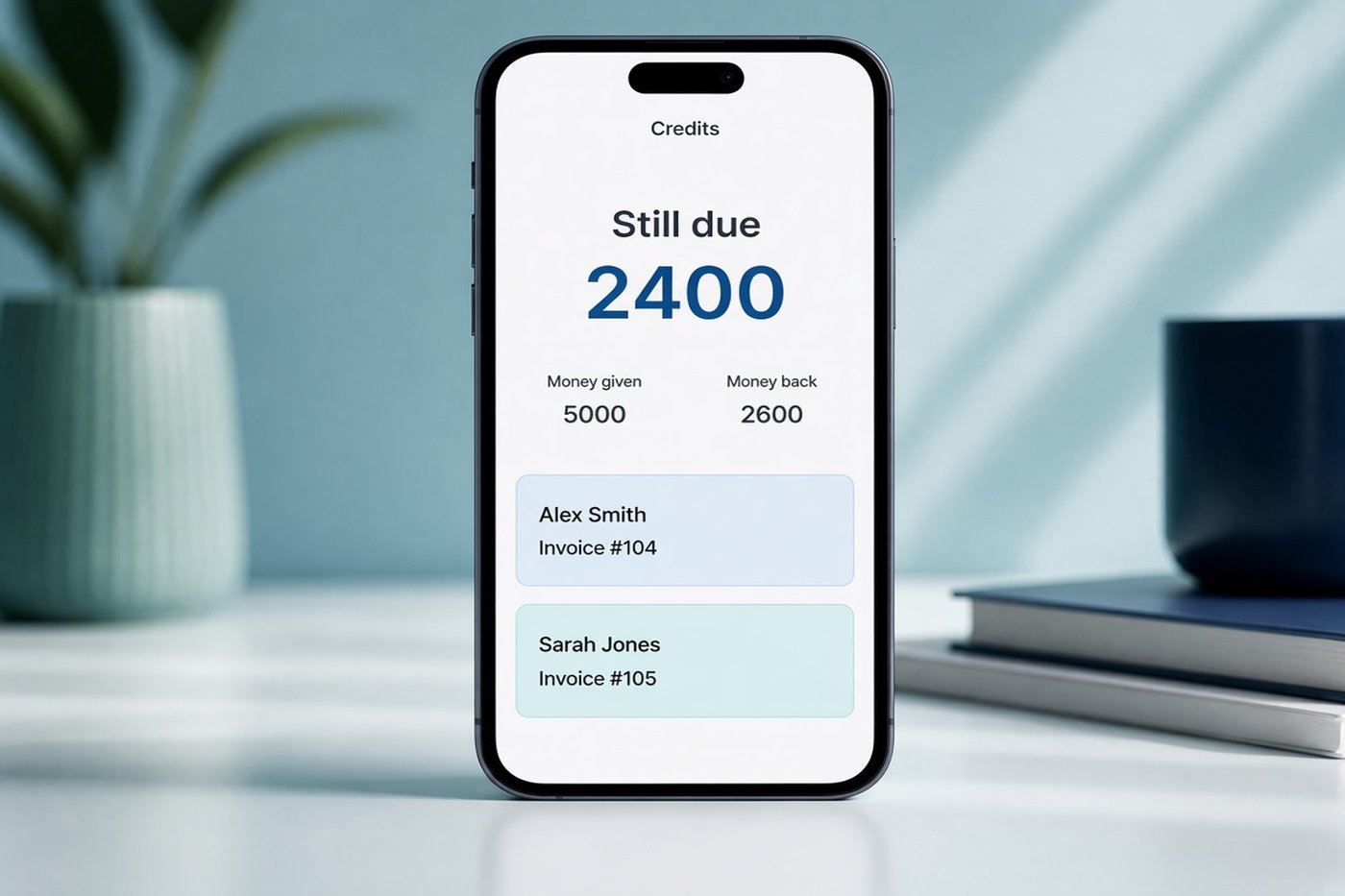
Quick answer: Credits is a screen for money you gave someone. It shows the total still due, each person, and every return. The same rows land on a Credits tab in your Google Sheet.
A place for money you lent
Daily expenses stay on the home screen. Credits is separate, for money you expect back: a friend, a relative, or a small advance. You see what you gave, what came back, and what is still due.
How Credits works
- Open CreditsThe fourth tab on the home screen. The card shows money given, money back, and the total still due.
- Add a personName, amount, the date you gave it, and an optional due date.
- Add a returnWhen they pay you back, log the amount. The still-due number updates.
- Share or remindSend an image or a PDF bill. On the due date, Kharch Log reminds you that morning and the next two mornings.
What you can do on the screen
The intro under the totals card says it in your language: keep track of money you have given, payments received, and what is still due.
One card for the totals
Money given, money back, and still due stay together so you do not add them by hand.
Each person
Open a borrower to see the history of what you gave and what they returned.
Due-date reminder
If you set a due date, the app reminds you that morning and for the next two mornings.
Share a bill
Share a return as an image or a PDF. The header and footer match an expense share.
Your Google Sheet
Credits sync to a Credits tab in the Sheet Kharch Log already keeps in your Drive.
Your language
The screen follows the language you pick in Settings, including Hindi, Telugu, and Urdu.
Common questions
Is Credits the same as a bank credit or a credit card?
No. It is money you gave someone and still expect back.
Does it mix with daily expenses?
No. Expenses stay on the home screen. Credits has its own tab and its own Sheet tab.
Can I record a partial return?
Yes. Add a return for the amount they paid. Still due is what is left.
When does the reminder show?
On the due date, then the next two mornings, if money is still due.
Can I share it on WhatsApp?
Yes. Share an image or a PDF bill from the history of a return.
Explore related features
Kharch Log is an Expense tracker for Android that keeps UPI and cash in your Google Sheet.